Takealot Invoice Generator
Create a Takealot-style tax invoice with seller details and VAT registration number, order number, bill-to details, line items, 15% VAT, and grand total in Rand. Preview live and download a PDF.
Create a Takealot-style order tax invoice with seller details, VAT registration number, order number, line items, 15% VAT, and grand total in ZAR. Download a print-ready PDF.

Choose
Takealot Invoice selected

Customize
Fill in your details

Download
Save or share receipt
Edit the details once and the preview updates instantly.
Quick summary
Takealot receipt template overview
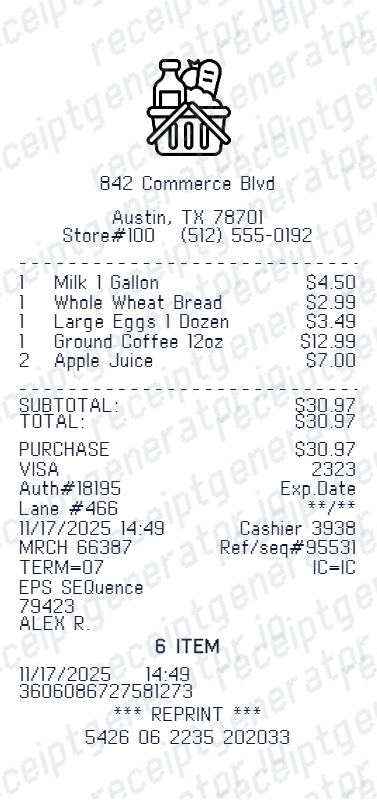
Use this Takealot receipt generator to create authentic itemized receipts with editable products, tax calculations in $, and printable PDF export.
What Is on a Real Takealot Tax Invoice?
Takealot issues a South African tax invoice for every order, and SARS rules dictate most of what it must contain. A credible replacement copy should match these fields.
The words 'Tax Invoice' and Takealot's VAT details
The document is headed as a tax invoice and identifies the supplier - Takealot Online (Pty) Ltd - with its address and VAT registration number, as SARS requires of every VAT vendor's invoice.
15% VAT shown on the total
South Africa's VAT rate is 15%, and Takealot's listed prices already include it. The invoice breaks out the VAT portion of the total so VAT-registered buyers can account for the input tax.
A combined waybill and invoice number
Takealot's document doubles as the delivery waybill, so a single waybill/invoice number ties the accounting record to the physical shipment - a detail specific to how Takealot fulfills orders.
Business details for a full tax invoice
If you add a business name and VAT registration number under your account's personal details, they print on the invoice. SARS requires a full tax invoice naming the recipient for purchases over R5,000; an abridged invoice is only sufficient at R5,000 or below.
Order number tied to your account
Every invoice references the Takealot order number from your account's order history, along with the order and invoice dates - the numbers customer service uses to trace the transaction.
Itemized lines with delivery as its own charge
Products are listed individually with quantities and prices, and delivery or courier fees appear as their own line rather than being folded into product prices, all inclusive of VAT.
Create a print-ready Takealot receipt
Edit the layout, watch it update live, then print, download PDF, or email.
Live Takealot receipt preview
Watch the Takealot receipt update in real time as you edit item rows, prices, and tax totals.
Print-ready PDF export
Download a clean, high-resolution Takealot-style receipt in PDF format for bookkeeping or expense records.
Editable store & register fields
Customise store location, cashier or lane numbers, transaction reference codes, and payment details in $.
Mobile-friendly generator
Create and preview Takealot receipts instantly on smartphone, tablet, or desktop browser.
Get Your Original Takealot Invoice First
Sign in at takealot.com, open your orders (or My Account > Invoices), select the order, and download the tax invoice PDF - it becomes available once the order has shipped. If you need a full tax invoice for SARS purposes, add your business name and VAT number to your account details first. Use this template when the original is unavailable - a closed account, an order placed by someone else, or an invoice that no longer appears in your history.
Expense & reimbursement documentation
Document Takealot purchases with itemized totals and tax lines for personal budgeting or expense reimbursement.
Lost receipt replacement
Recreate a clean itemized receipt record from transaction details when original thermal till slips are lost or faded.
Warranty & purchase recordkeeping
Maintain verifiable purchase documentation with date, time, and register references for inventory and record tracking.
Takealot Receipt Formats
Choose the Takealot receipt format that best matches your documentation and layout needs.
Standard Store Receipt
Standard Takealot till receipt layout with item lines, subtotals, tax breakdown, and payment confirmation.
Itemized Detailed Receipt
Expanded layout with product SKU codes, quantity unit rates, discounts, and store register metadata.
Digital Order & Invoice
Clean electronic invoice format with customer reference numbers, transaction IDs, and payment method details in $.
Related Guides
Helpful guides on e-commerce invoices.
How to Download a Flipkart Invoice
Where marketplace tax invoices come from and how to rebuild a clean copy.
Explore How to Download a Flipkart InvoiceRetail Receipt for Expense Reports
See which fields a store receipt needs to qualify for expense report or reimbursement submission.
Explore Retail Receipt for Expense ReportsRelated Templates
Browse our collection of receipt templates for various purposes.
Takealot Invoice FAQ
Common questions about creating a Takealot-style order tax invoice.
Open the Takealot generator, edit the details, line items, charges, taxes, and total, then preview and download as a PDF.
Sign in at takealot.com, go to your orders or the Invoices section under My Account, select the order, and download the PDF tax invoice. Invoices become available once an order ships and stay attached to your order history, so even older purchases can usually be retrieved. If you need business details on it, update your account's business name and VAT number first.
Yes, if you are a VAT-registered business buying for business purposes. For purchases over R5,000, SARS requires a full tax invoice showing your business name - so add your business name and VAT number to your Takealot account before ordering. Keep the downloaded invoice as your input VAT documentation.
Both. You can use these templates for reimbursements, bookkeeping prep, and internal documentation workflows.
Yes. The generator works on mobile and desktop so you can edit details, preview changes, and export from either device.
Yes. Every field — line items, charges, taxes, and totals — is editable so the document matches your order.
It is headed as a tax invoice from Takealot Online (Pty) Ltd with the company's VAT registration number, carries a combined waybill and invoice number plus your order number, lists each item with quantity and VAT-inclusive price, shows delivery as a separate line, and breaks out the 15% VAT portion of the total.
Add the store name, purchase date, line items, totals, tax, payment method, and any optional notes you need on your Takealot Invoice Generator template.
This tool creates an editable Takealot Invoice Generator style layout for documentation. It is not issued by the original merchant or brand system.
Free previews may include limited export options depending on your plan. Check pricing for watermark-free and premium export access.
Receipt Generator · Receipt Maker · 300+ Free Templates
Create your Takealot receipt
Use the editable Takealot receipt generator to add items, tax totals, and payment details, then export a clean PDF.