TikTok Shop Receipt Generator
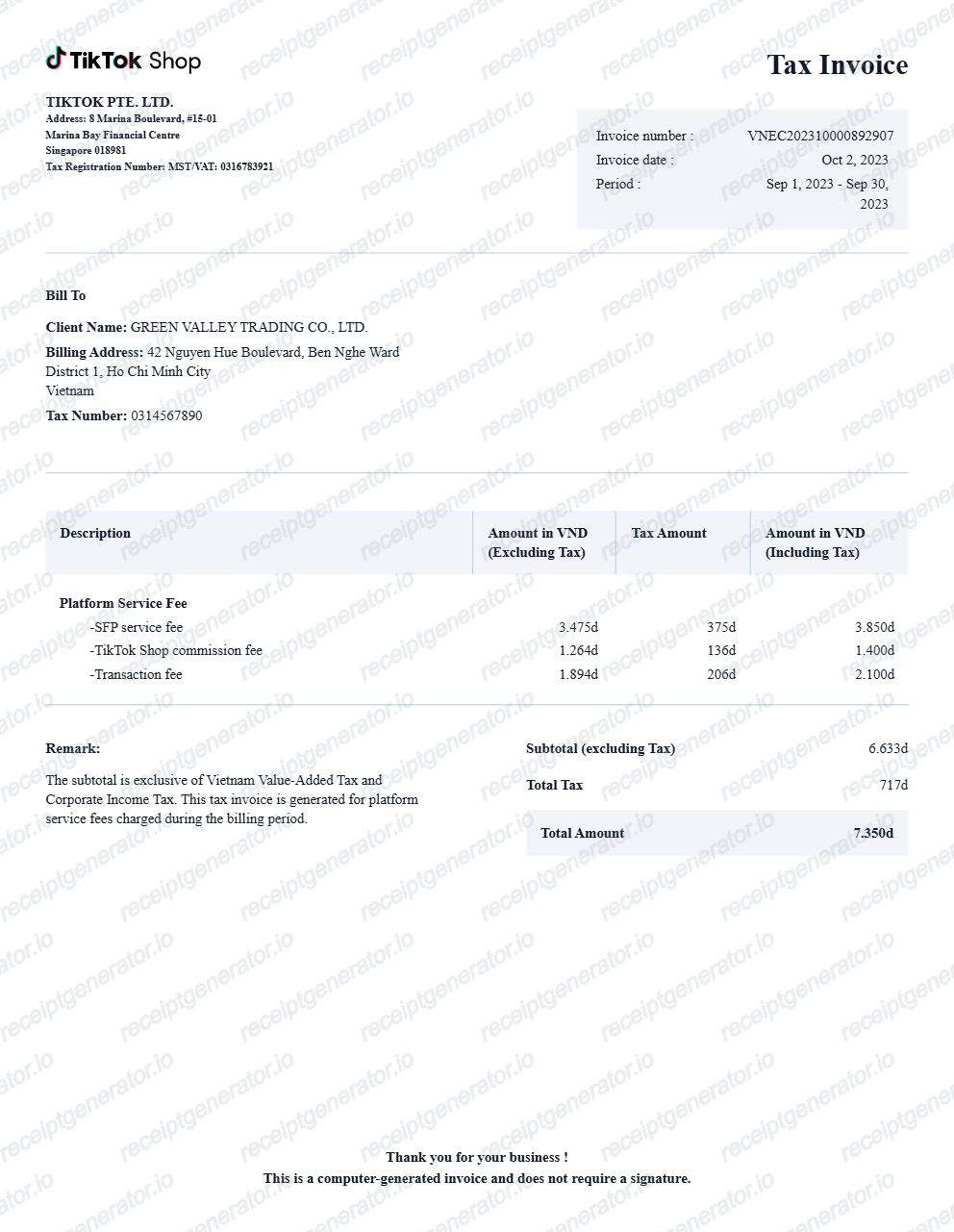
Create a TikTok Shop-style tax invoice with supplier details, invoice metadata, bill-to fields, platform service fee rows, computed VAT totals, remarks, and footer text. Preview live and export a PDF.
Create an editable TikTok Shop tax invoice with invoice number, billing period, supplier details, client information, platform fee rows, subtotal, tax, total, remarks, and footer text.

Choose
TikTok Shop Receipt selected

Customize
Fill in your details

Download
Save or share receipt
Edit the details once and the preview updates instantly.
Quick summary
TikTok Shop receipt template overview
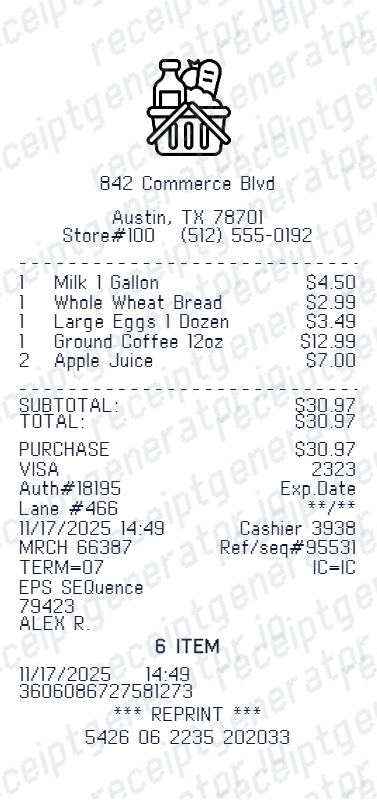
Use this TikTok Shop receipt generator to create authentic itemized receipts with editable products, tax calculations in $, and printable PDF export.
What Is on a Real TikTok Shop Receipt?
TikTok Shop does not mail a traditional standalone receipt - the order details page inside the app is the buyer's record, with formal invoices coming from the seller on request. Here is what the genuine documents contain.
The order details page is the receipt
TikTok Shop purchases live under Orders in the app, and the order details screen - items, prices, discounts, shipping, tax, payment method, and order number - is what buyers screenshot and submit as proof of purchase.
A long numeric order ID
Every TikTok Shop order carries a long numeric order number used with the seller, TikTok support, and shipping updates. Any credible order record leads with it.
TikTok collects US sales tax at checkout
As a marketplace facilitator, TikTok calculates, collects, and remits sales tax on TikTok Shop orders in every US state that imposes one. Displayed prices exclude tax, so the tax line appears at checkout and on the order record - the seller never handles it.
Formal tax invoices come from the seller
TikTok is the facilitator, but the responsibility for issuing a formal tax invoice rests with the shop. Buyers can request one, and the seller sees the order flagged as Invoice Required in Seller Center.
Deal and voucher lines cut the subtotal
TikTok Shop orders commonly stack flash-deal pricing, seller vouchers, and platform coupons, each shown as its own discount line - so the charged total is often far below list prices, with the math visible on the order.
Payment processed inside TikTok
Payment runs through TikTok's checkout, and the order record shows the payment method with its last digits and the exact amount charged - the line that should match the buyer's card statement.
Create a print-ready TikTok Shop receipt
Edit the layout, watch it update live, then print, download PDF, or email.
Live TikTok Shop receipt preview
Watch the TikTok Shop receipt update in real time as you edit item rows, prices, and tax totals.
Print-ready PDF export
Download a clean, high-resolution TikTok Shop-style receipt in PDF format for bookkeeping or expense records.
Editable store & register fields
Customise store location, cashier or lane numbers, transaction reference codes, and payment details in $.
Mobile-friendly generator
Create and preview TikTok Shop receipts instantly on smartphone, tablet, or desktop browser.
Get Your Original TikTok Shop Receipt First
In the TikTok app, go to your profile, open Orders (via the menu or Settings), select the purchase, and save or screenshot the order details page - that is TikTok Shop's receipt. If you need a formal tax invoice, request it from the seller through the order, and check your email for the order confirmation. Use this template when the original is unavailable - a deleted account, a banned app, or an order that no longer appears in your history.
Expense & reimbursement documentation
Document TikTok Shop purchases with itemized totals and tax lines for personal budgeting or expense reimbursement.
Lost receipt replacement
Recreate a clean itemized receipt record from transaction details when original thermal till slips are lost or faded.
Warranty & purchase recordkeeping
Maintain verifiable purchase documentation with date, time, and register references for inventory and record tracking.
TikTok Shop Receipt Formats
Choose the TikTok Shop receipt format that best matches your documentation and layout needs.
Standard Store Receipt
Standard TikTok Shop till receipt layout with item lines, subtotals, tax breakdown, and payment confirmation.
Itemized Detailed Receipt
Expanded layout with product SKU codes, quantity unit rates, discounts, and store register metadata.
Digital Order & Invoice
Clean electronic invoice format with customer reference numbers, transaction IDs, and payment method details in $.
Related Guides
Explore related guides to understand the receipt details, lookup steps, and documentation workflows.
Related Other Receipt Templates
More free receipt templates for store and retail expense records.
TikTok Shop Receipt FAQ
Common questions about creating and downloading a TikTok Shop tax invoice.
Open the TikTok Shop receipt generator, edit the supplier, invoice, bill-to, fee rows, subtotal, tax, total, remark, and footer details, then preview and download as a PDF.
Yes. The totals are computed from the fee rows and tax values, with editable labels for subtotal, tax, and total amount.
It is the order details record: a long numeric order number, the order date, item lines with quantities and prices, flash-deal and voucher discount lines, a shipping line, sales tax calculated at checkout, the payment method with last digits, and the total charged. Seller-issued tax invoices add the shop's business details.
Add the store name, purchase date, line items, totals, tax, payment method, and any optional notes you need on your TikTok Shop template.
This tool creates an editable TikTok Shop style layout for documentation. It is not issued by the original merchant or brand system.
Yes. You can edit platform service fees such as SFP service fee, commission fee, and transaction fee directly in the receipt editor.
Open the TikTok app, go to your profile, and open Orders from the menu or Settings, then select the order - the order details page shows items, discounts, shipping, tax, payment, and the order number, and it doubles as your receipt. Your email confirmation is a backup, and for a formal tax invoice you can send the seller a request on the order.
TikTok is a marketplace facilitator, so it is legally required to collect sales tax from buyers and remit it to the state in every US state that has one. Listed prices do not include tax - it is calculated from your delivery address at checkout and shown as its own line on the order, regardless of which seller you bought from.
Both. You can use these templates for reimbursements, bookkeeping prep, and internal documentation workflows.
Yes. The generator works on mobile and desktop so you can edit details, preview changes, and export from either device.
Receipt Generator · Receipt Maker · 300+ Free Templates
Create your TikTok Shop receipt
Use the editable TikTok Shop receipt generator to add items, tax totals, and payment details, then export a clean PDF.